
Modding Your Wynn
- Published August 16, 2025
Out of the box, Wynncraft works with unmodified (i.e. vanilla) clients released by Mojang/Microsoft. Yet, despite being perfectly functional, less than 10% of the server’s users play without mods. This figure speaks to the significant improvements in quality of life made possible by the server’s third-party development community over the years.
This article seeks to provide a walkthrough for users from all backgrounds on how to go about modifying your client to best take advantage of Wynncraft’s current 3rd party ecosystem. Note, this is NOT a modpack, but rather, instructions on how to go about choosing and installing Wynn mods, resources, and if need be, packs.
Some General Notes
One cannot make a modding guide without brushing upon some frequently asked questions on the topics of safety and selection. If you have any of those questions (‘is modding safe’, ‘why did you choose x instead of y’, etc.) this section is for you.
Is Modding Safe?
By using a 3rd party launcher, launching a 3rd party client wrapper, or loading a 3rd party client modification (listed in descending order of access, although all occur in this guide), you are taking an inherent risk. You are trusting the 3rd party with access to execute code on your computer. While the amount of damage it can do varies, that risk remains.
Having said that, there are many checks in place to prevent that from happening. If you use open-source software with large userbases, regardless of the 3rd party themselves, thousands of users have had time to run the application and look for abnormalities. Moreover, technical users have had a chance to look at the code themselves, further ensuring nothing suspicious is occurring. There is still a risk, but it is thoroughly mitigated.
Another mitigation of risk happens when one uses software that has been uploaded to large moderated platforms (such as modrinth and curseforge). In addition to the checks above, these platforms use automated and manual tools to review the submitted code to make sure it isn’t doing anything it shouldn’t be doing. Again, there is still risk, but this mitigates it further.
Finally, one can install software created by 3rd parties they trust. Even if software has no users, is closed, and/or not on a moderated platform, if one trusts the software’s author, then one can trust the software. This is the rarest and least advisable form of mitigation, but it adds another layer in conjunction with the above (although some risk remains).
The resources suggested by this guide are open sourced, have a reasonable amount of users, and have been posted to moderated platforms. Or, in the case of launchers and wrappers, are open-sourced and used by enough users for the safety concern to be almost completely mitigated in and of themselves.
Why does this guide promote x over y?
Fabric v. Forge v. Others
Currently, within the modding ecosystem, Fabric is the go-to choice for client-side modifications on unmodified servers. The vast majority of active development, within a Wynncraft context, occurs within the Fabric ecosystem.
This is not to say that there are not alternatives. Many current Wynn mods are available in the (Neo)Forge ecosystem, which technically remains an option. However, this is generally a worse choice than running things with Fabric, since that is the most tested ecosystem and where most active development occurs. The same goes for obscure and/or deprecated ecosystems such as liteloader.
Prism v. Modrinth v. CurseForge v. Others
[Insert Proprietary PvP Server Client] << Vanilla << Curseforge << Modrinth < Prism”
~Wenweia, 2026
Proprietary Server Launchers
There are many proprietary, for-profit, clients developed and marketed for PvP, 1.8, client-side anticheat, specific (again, usually PvP) servers, etc. Many became profitable enough to branch out into general-purpose launchers, bundling Fabric and running ‘official’ server modpacks. Lunar in particular even got Wynn to ‘recommend’ them. Clients of this sort are a poor choice for Wynn, ship with outdated preset packs, and are responsible for the vast majority of Wynntils bugs.
Not only does this guide not suggest any such clients, it actively recommends against using any of them for Wynn. This includes but is not limited to Lunar Client (very outdated and buggy in a Wynn context, not to mention incompatible with several key aspects of functionality), Badlion Client (similarly limited; initially a CSA, server-specific), Feather Client (another closed server client that bundles improperly licensed Sodium), and the like.
The Vanilla Launcher (Microsoft)
Mojang’s vanilla launcher is the baseline for playing Wynn and is perfectly functional. Unlike the for-profit clients above, the vanilla launcher is fully capable of installing a standard, modern, Fabric environment without interfering with the results. We don’t actively discourage using the vanilla launcher; it’s just not the best choice, and this guide reflects that.
The vanilla launcher requires a convoluted maze of menus, Microsoft account logins, and store interactions to get through what should be a simple process of getting a basic Wynn client up and running. Compared to 3rd party options, Microsoft’s launcher remains less clear to use, takes longer to navigate, and generally results in a slightly worse environment. For that reason, this guide focuses on those 3rd party options instead.
The CurseForge Launcher (For-Profit)
Unlike the server-specific proprietary clients detailed earlier, the CurseForge client is not as actively problematic. Like the Vanilla launcher, it is more than capable of producing a modern, standard installation without interfering with the results. Unlike the Vanilla launcher, it accomplishes this in a way that is clear, integrated, and reasonably straightforward.
The reason we don’t recommend CurseForge is its platform’s priorities. CurseForge is a for-profit company, and the ecosystem has degraded to the point of no longer prioritising its users. The user experience isn’t terrible, but the ads and upsells push us to instead prefer the two options below as our recommendations for this guide.
The Modrinth Launcher (Not for Profit)
Designed to be clear and easy to use, Modrinth is basically Curseforge, but developed by a not for profit. As with Curseforge, the paid development has resulted in a fairly polished, easy to use, experience with great documentation and supports. Unlike Curseforge, Modrinth has managed to accomplish this without sacrificing its users. Modrinth does have some ads, but they are not nearly as intrusive as Curseforge’s, and the platform’s priorities remain with its users.
We recommend Modrinth as the best choice for a simple and intuitive experience.
The Prism Launcher (Open Source)
Designed to be functional, expansive, and open, Prism is an open-source launcher developed by volunteers in the community. It is slightly less easy to use than the above two, but it is more powerful, more customisable, and more open (especially compared to Curseforge). With more features, more providers, and ad-free, Prism is our recommendation for users willing to sacrifice a bit of ease of use for more capabilities.
Custom v. Optimized Family v. Skyward Family
All sections of this guide recommend the use of a barebones, clean, performance modpack as the foundation on which to build the ensuing Wynn installation. This is, in our opinion, far preferable to dumping a single fabric jar in and hoping for the best. It is also far preferable to using the closed source and outdated optifine ecosystem, or the common practice of filling your mod folder with every “performance” mod you can find.
An open-source, Sodium-based installation ensures performance while maintaining compatibility and integration. Notably, this choice also provides some very useful safeguards that make the rest of your setup far easier. There are only two contenders for this requirement: HyperSoop’s Optimised family of modpacks, and Devin’s Skyward family of modpacks. This article uses the latter family on account of it being open sourced, more communal, more focused, more selective, and more targeted.
A Quick and Easy Approach
Would you prefer not to mess around with the dozens of menus needed to create the more advanced installations? Do you just want to get a basic modded client up and running as quickly as possible? This approach may not be the most expandable or the most fully featured, but it is certainly the easiest!
Installing Modrinth
For this tutorial, we will be using Modrinth’s launcher.
Modrinth is a platform for hosting and downloading Minecraft mods, modpacks, resource packs, and more. It also has its own launcher that provides easy integration with the platform’s content, allowing users to easily create and manage modded Minecraft instances. Modrinth’s launcher is designed to be user-friendly and efficient, making it the ideal choice for this section of the guide.
First things first, we need to fetch the Modrinth installer from this page!
If you would like more details on installing your Modrinth client, expand this section!
Fetching Modrinth
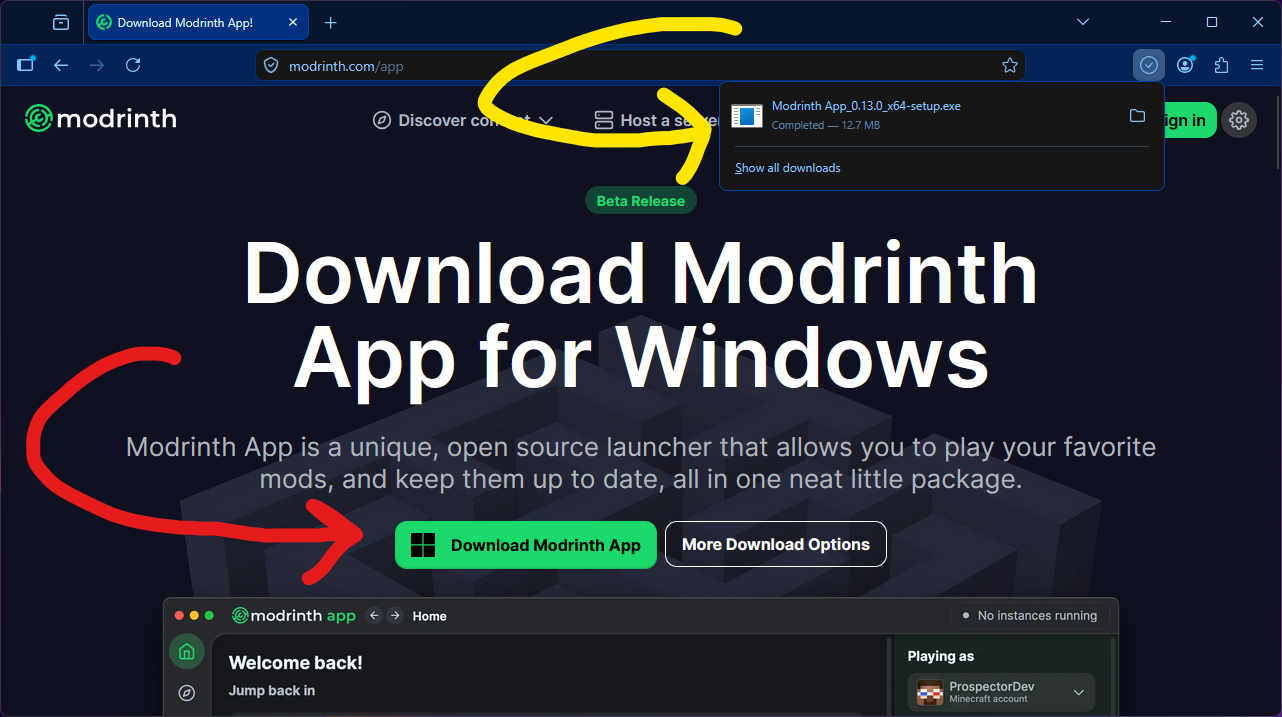
The first thing we will need is the Modrinth Launcher’s exe!
This can be found from this page on Modrinth’s Website!
Downloading the file will give you a file, which you can then click to start the installation process.
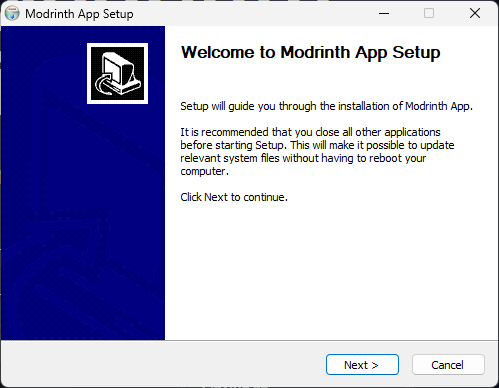
This will open your operating system’s installation wizard; all the prompts are fairly clear, and you should be able to click through them all.
Modrinth Setup
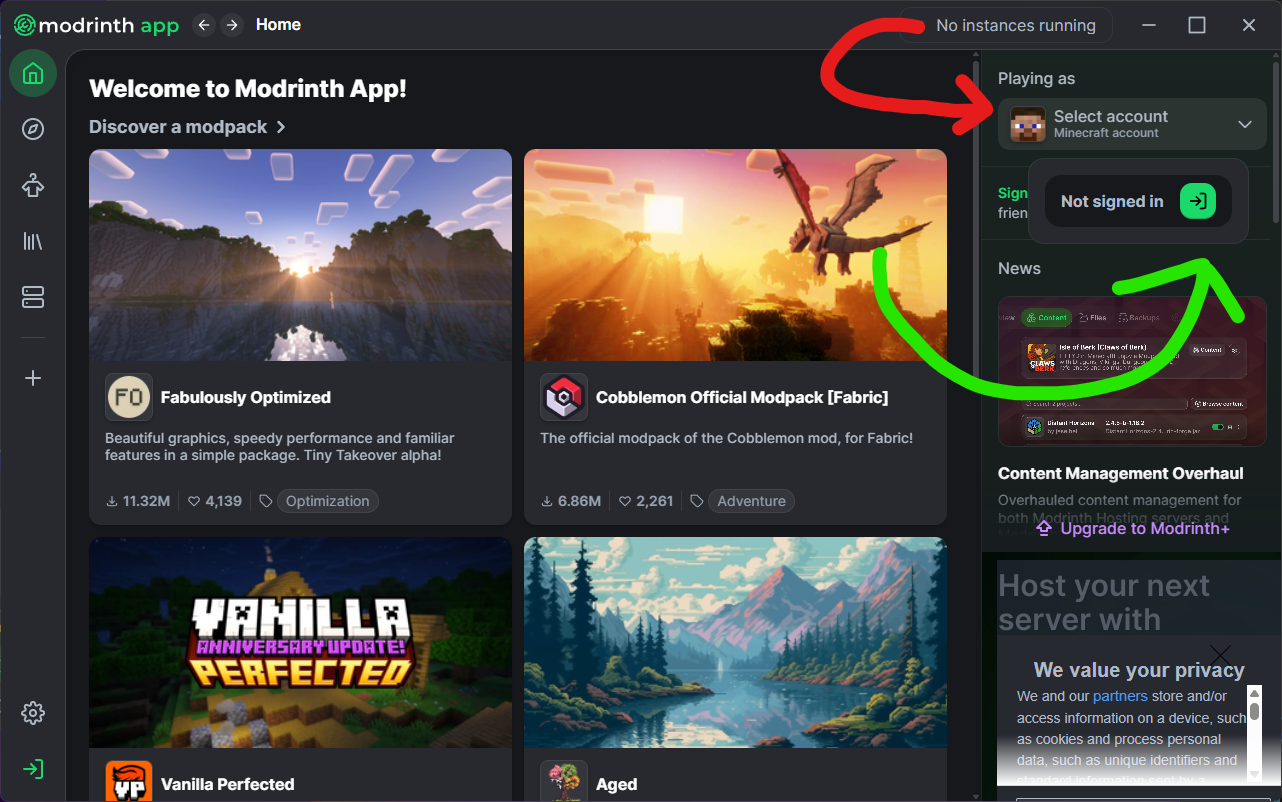
With the launcher now installed, you will need to set your Minecraft account.
Clicking on the “Select account” button (red) will show a ‘Not signed in’ menu, which includes a green login button you can then click.
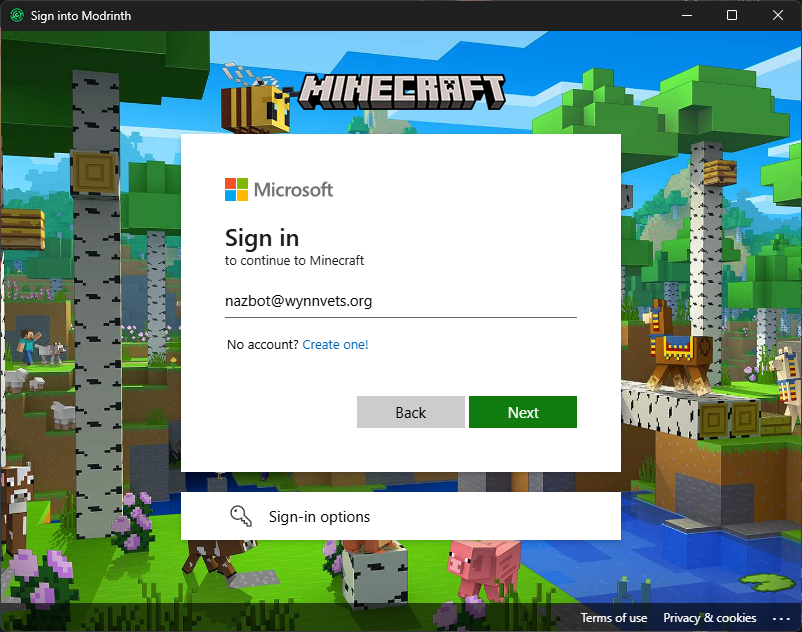
You will be presented with a Microsoft login UI; enter the credentials of the Microsoft account associated with your Minecraft account.
After you see “Playing as (your Minecraft user) in the top right corner of your launcher, you’re done!
Creating Your Instance
We’re ready to create your Wynn instance! The first step is to create your instance.
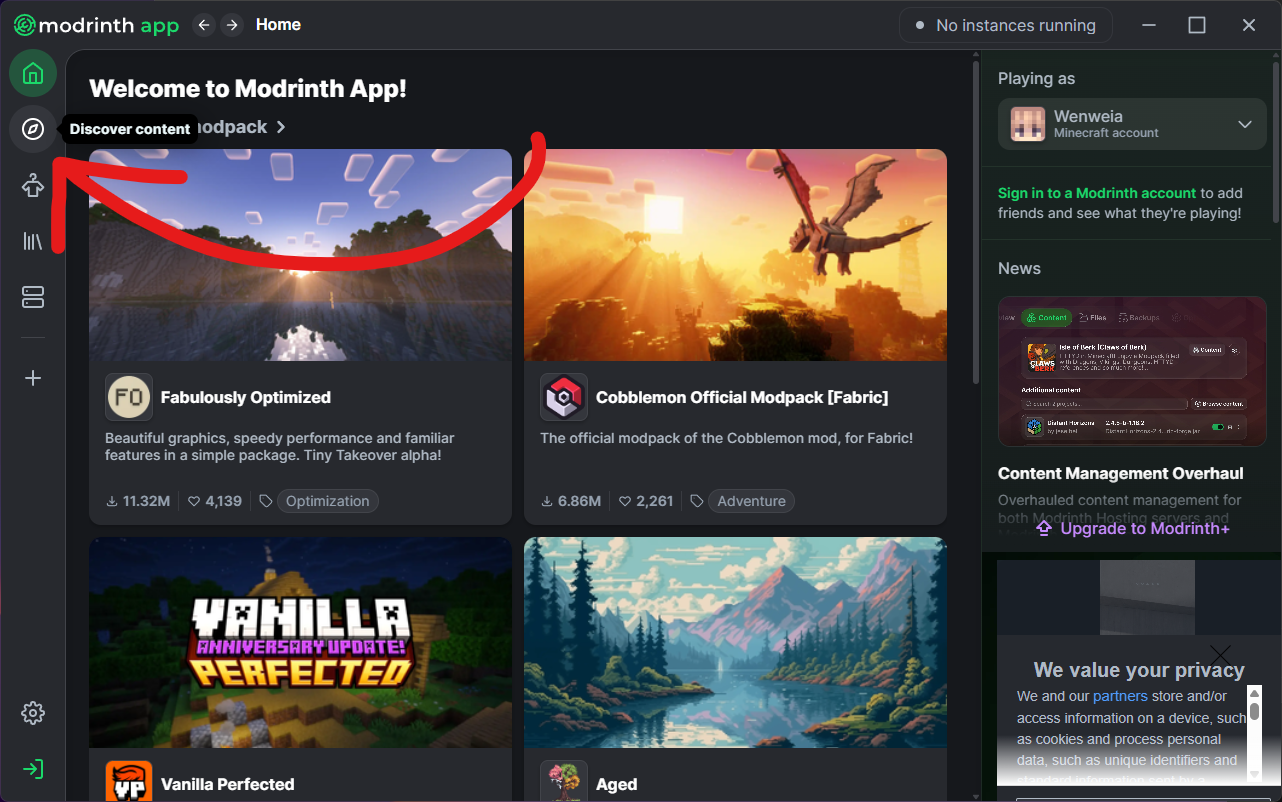
Having completed the previous step, your launcher should now be installed and opened.
Click on the “Discover content” button (red arrow)
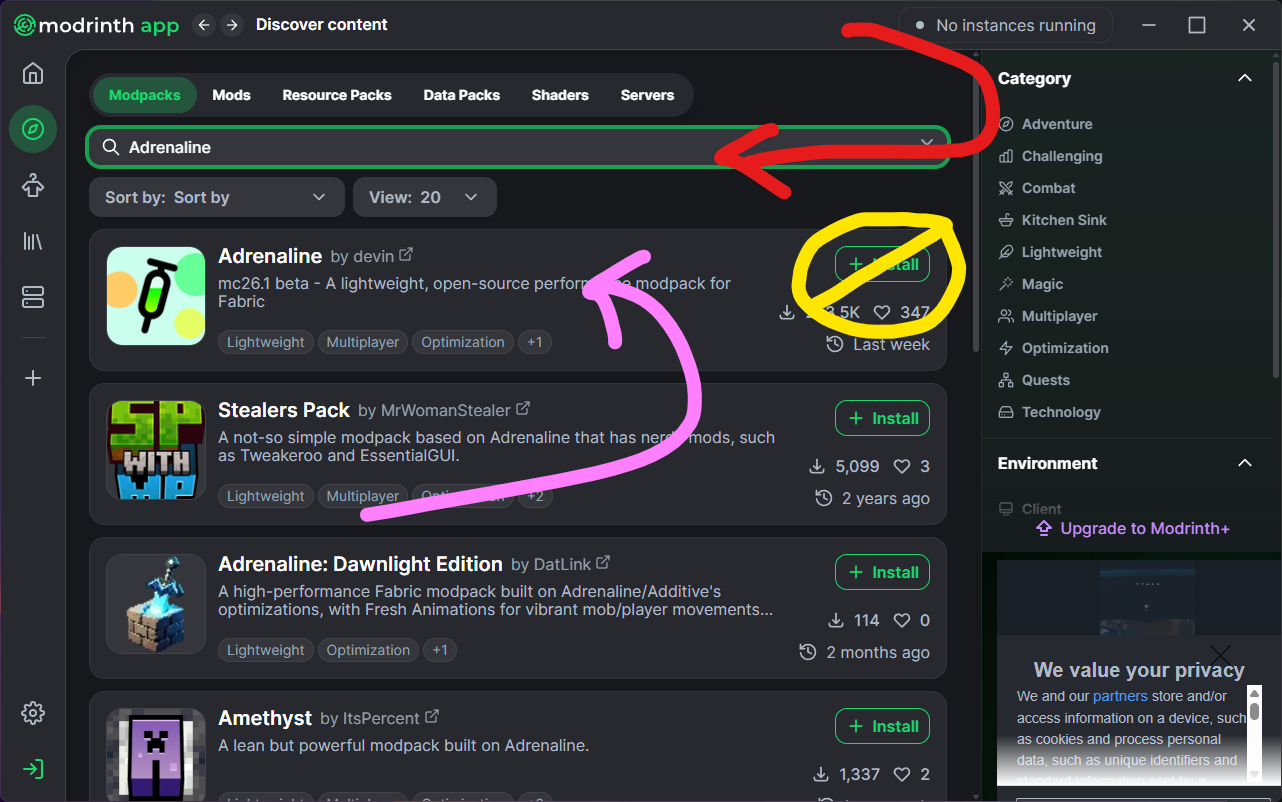
In the search bar at the top of the discover page (red arrow), type in “Adrenaline” (the lightweight performance pack we will be using)
Note: if you plan to use extra quality of life features historically provided by Optifine (such as a calculator, zoom key, dynamic lighting, better textures, etc), you can select “Additive” instead.
⚠️ Click DIRECTLY on the Adrenaline listing ⚠️
(pink arrow)
DO NOT CLICK THE INSTALL BUTTON
(yellow circle)
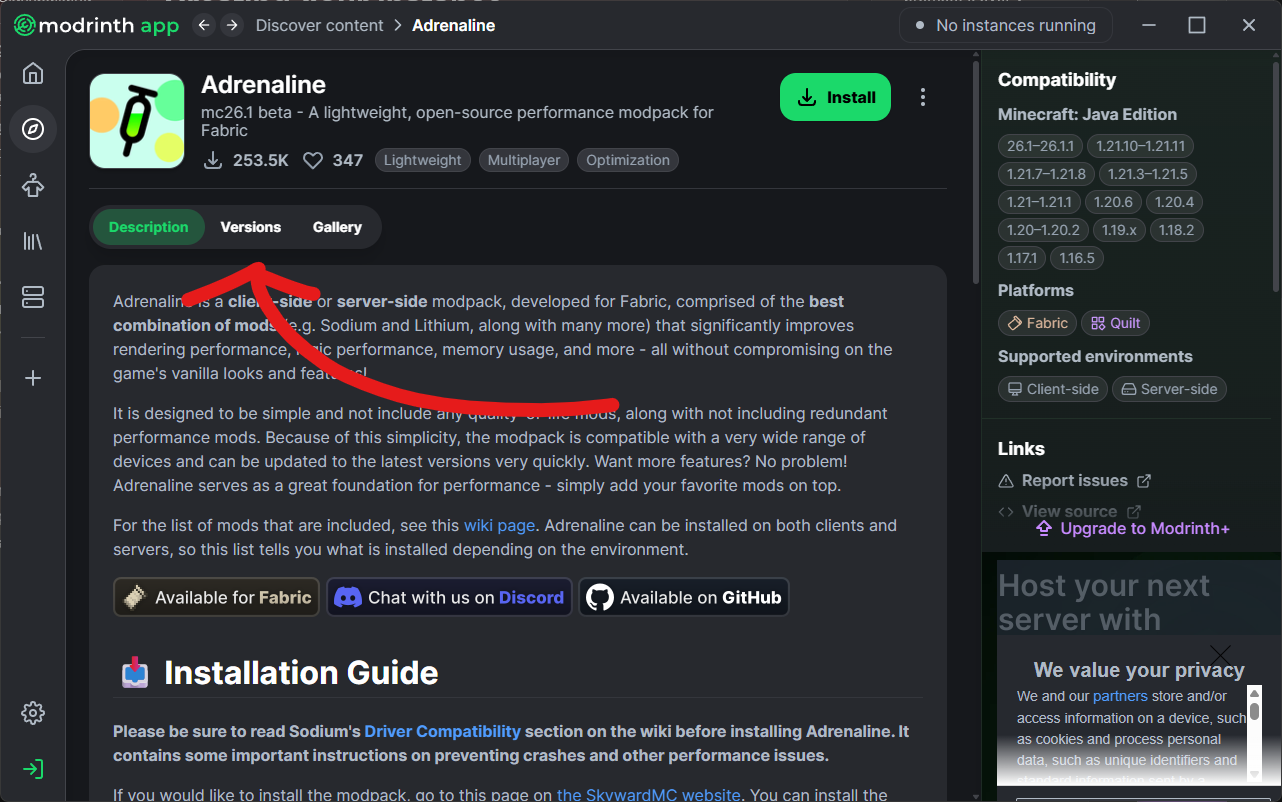
With the Adrenaline (or additive) listing now open, click on its Versions tab.
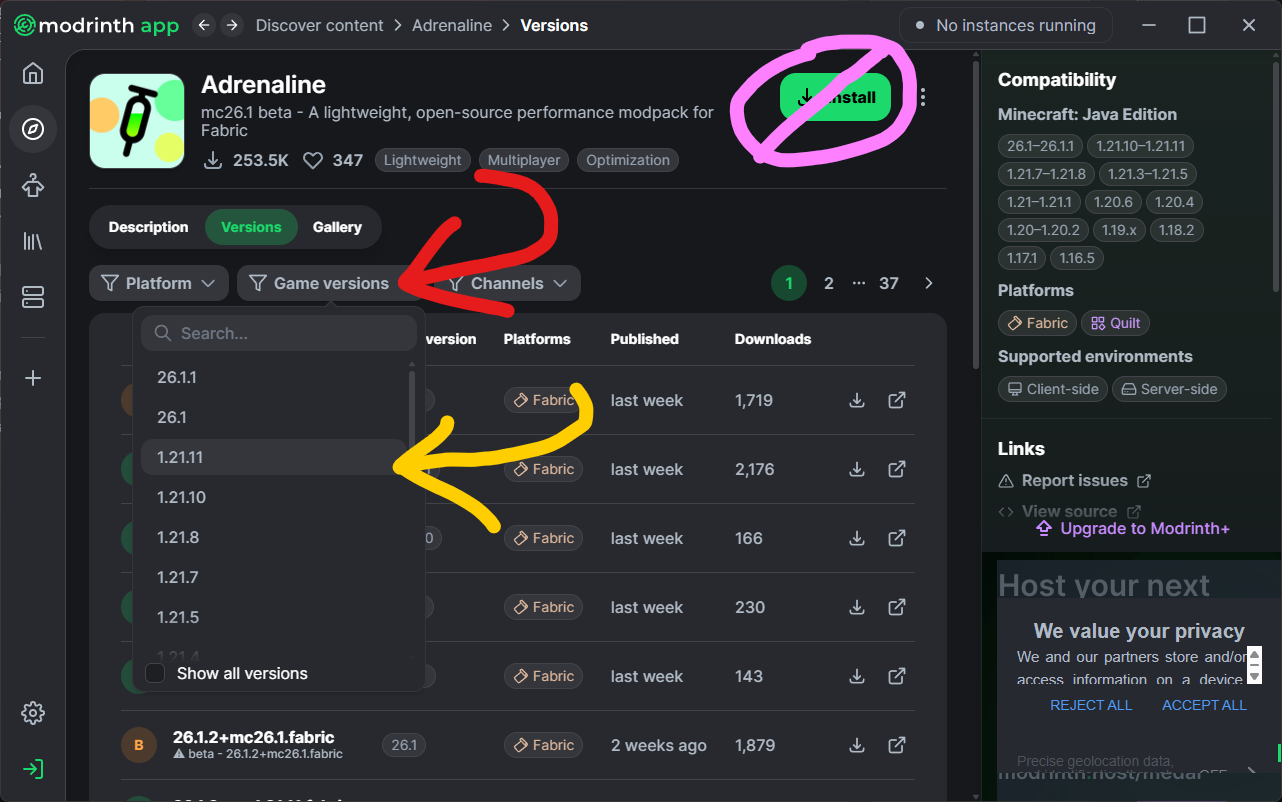
Figure out what version of Minecraft the community recommends: then filter the Adrenaline listing by “Game versions” to limit the results to those that work with Wynn.
Do NOT click the button circled pink!
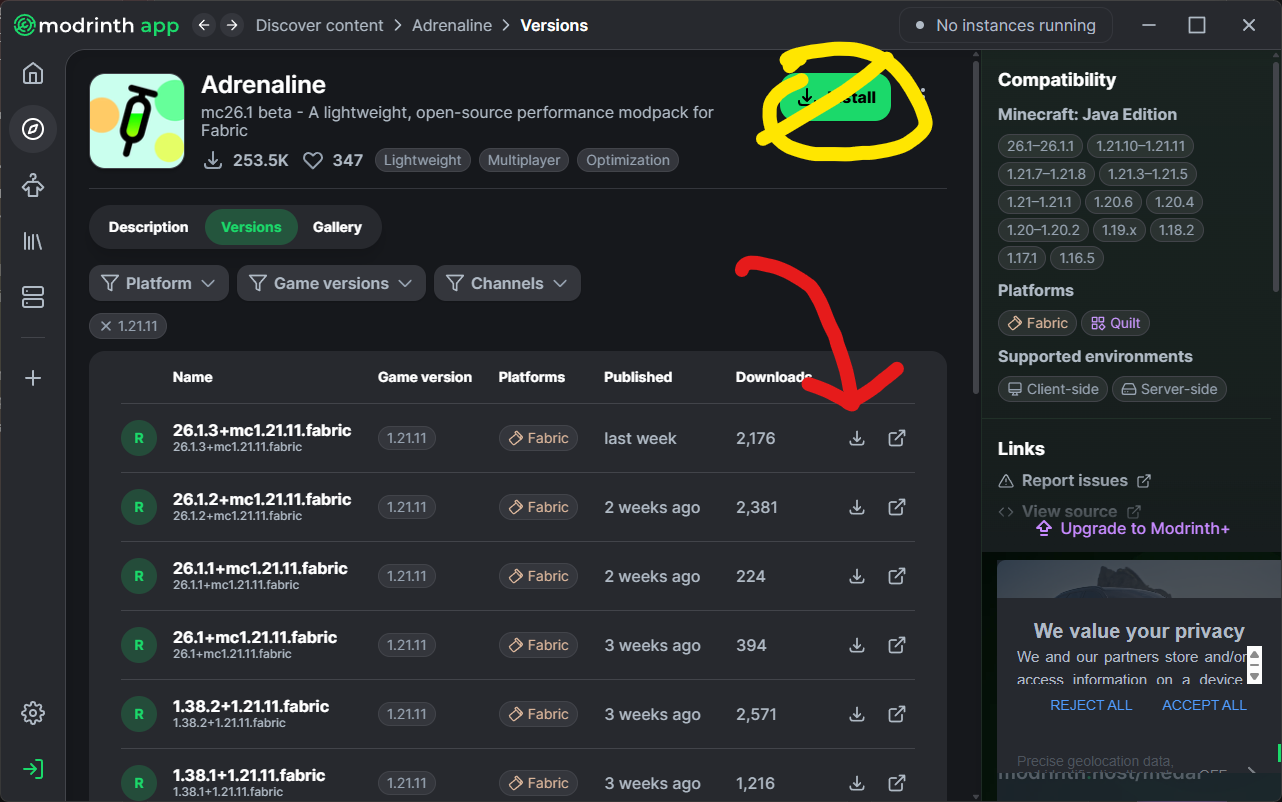
Of the now-filtered adrenaline (or additive) listings, click the install button (red arrow) of the most recent version.
Again, do NOT click the button circled yellow!
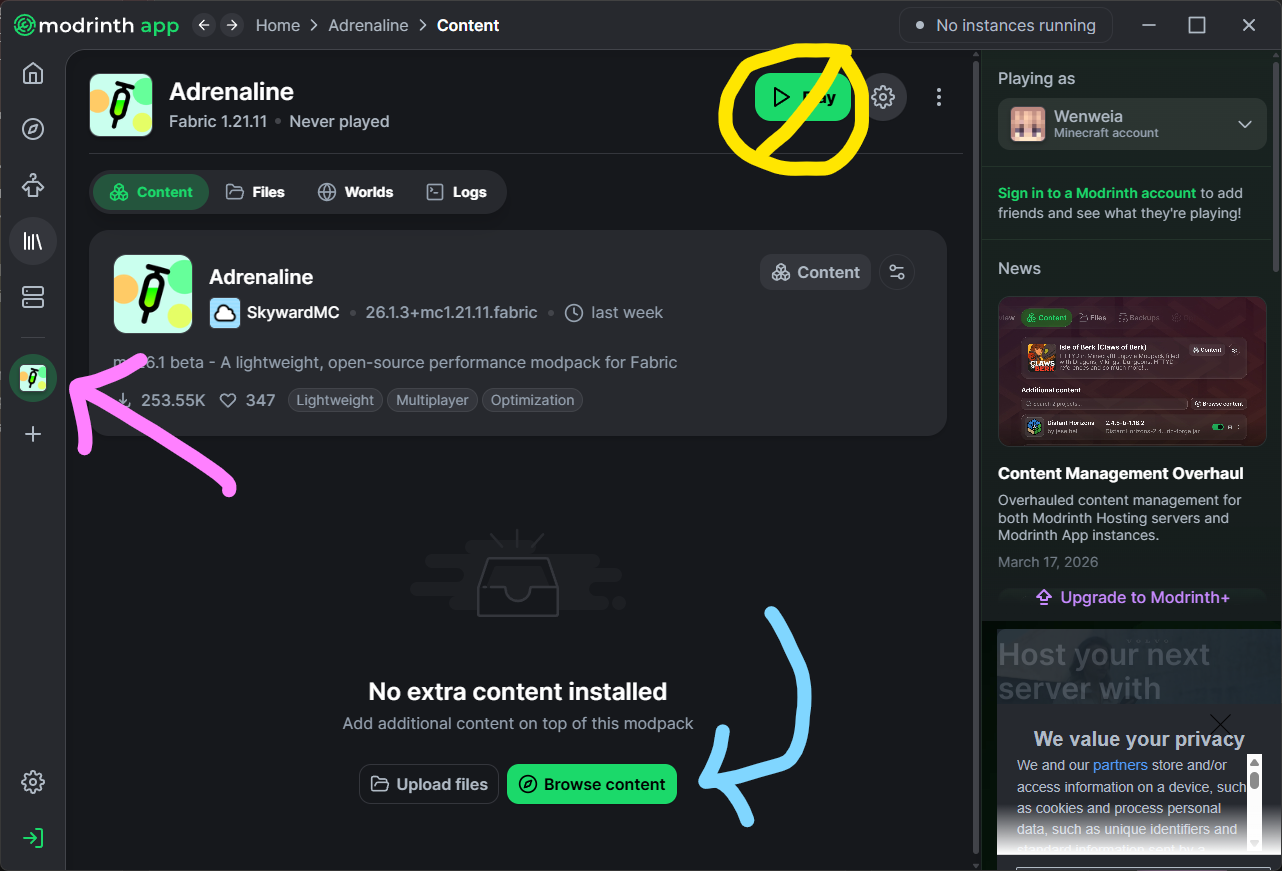
You should now be in your new instance!
(If you are not, click the button with the pink arrow. As always, do not click the button circled yellow!)
Now, click on the “Browse Content” button with the blue arrow!
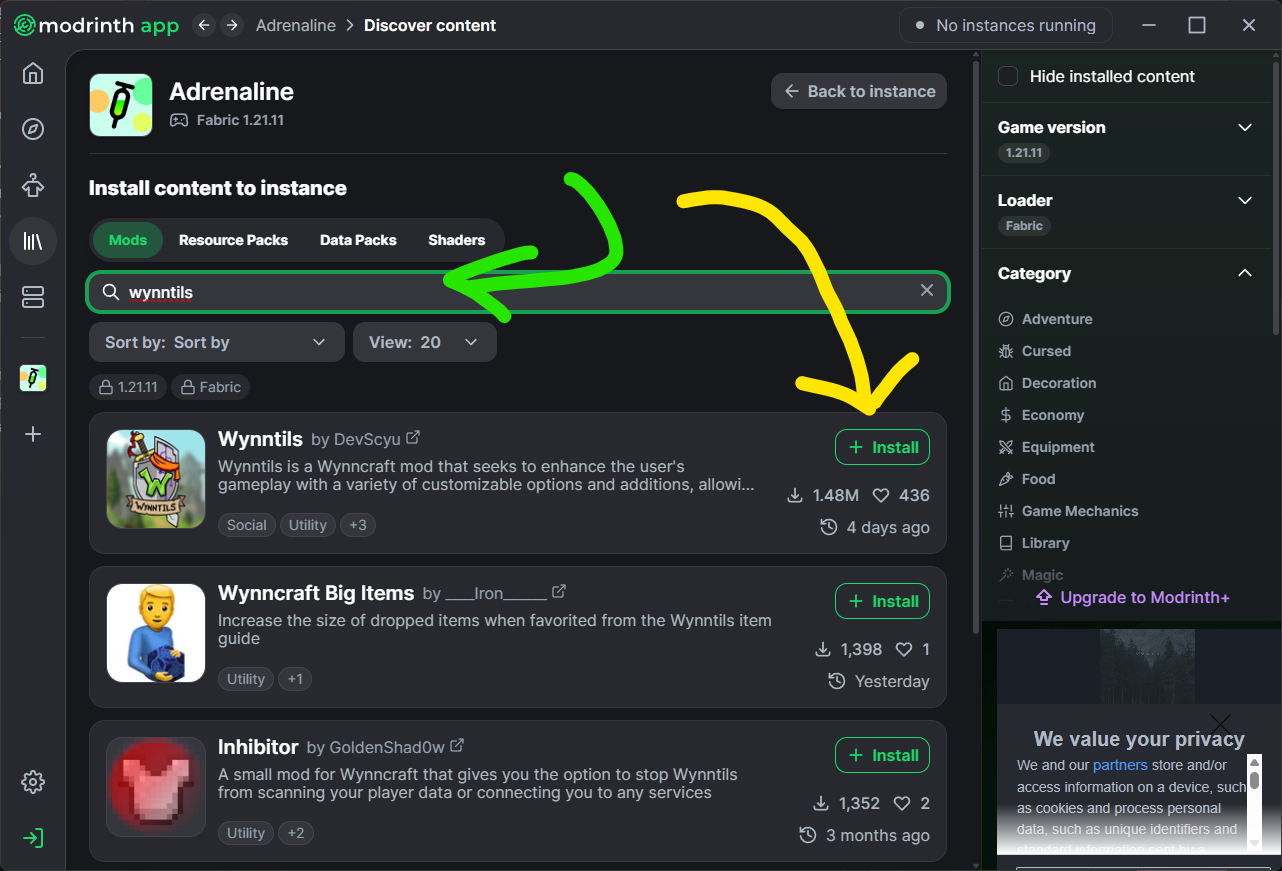
Use the green search bar to search for projects you want to add.
For each project, in this case, Wynntils, click the Install button
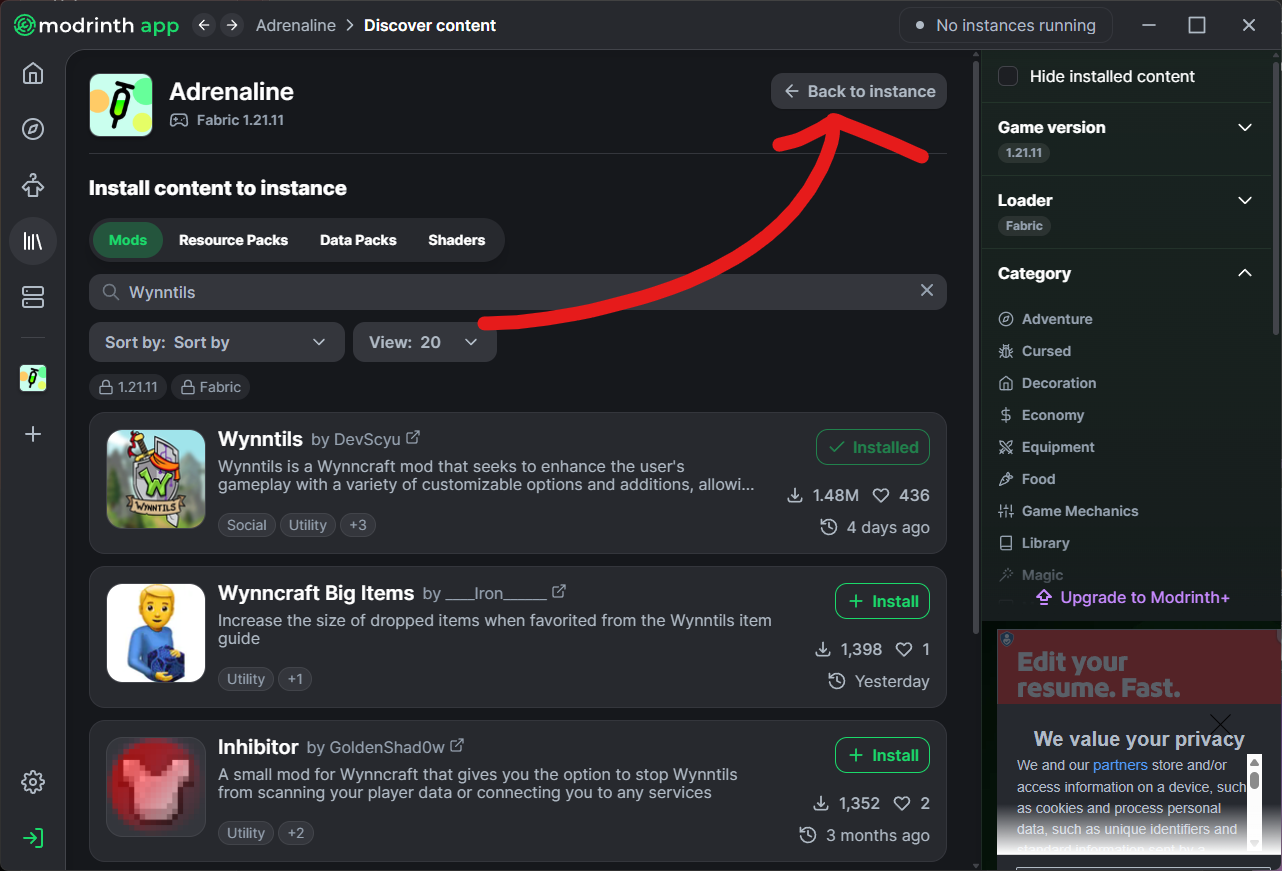
When you are done adding your desired wynn mods, click the “back to instance” button!
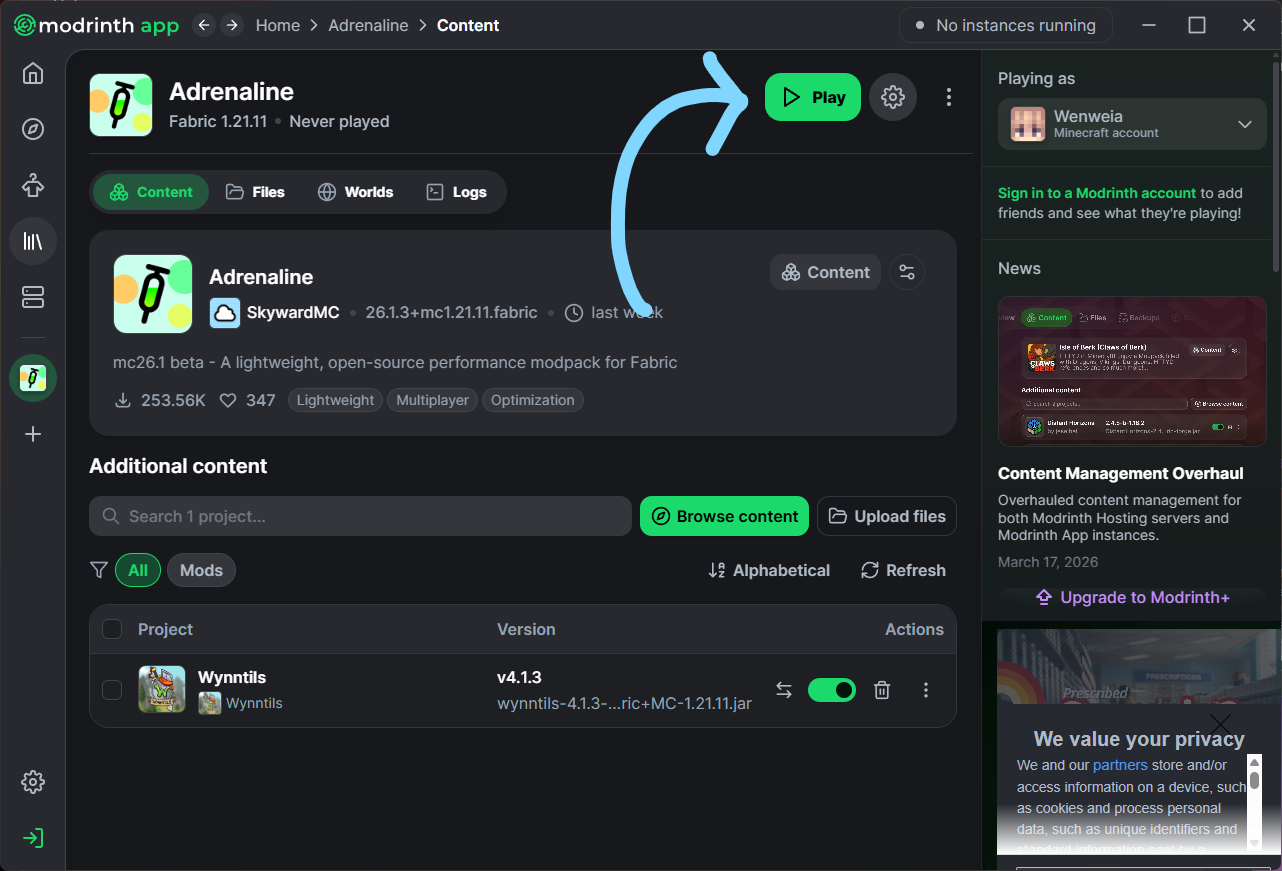
You are done! Click the play button and enjoy your Wynncraft!
A More Involved Approach
Are you willing to spend a additional time and effort to tweak Wynn exactly the way you want it? Interested in some of the additional mods other players are using? You’ve come to the right place!
This tutorial will give you the foundations needed to install basically any wynn mods imaginable. It will also point out a lot of the more popular ones and some important notes with respect to how you can set them up (dependencies galore)!
Installing Prism
For this tutorial, we will be using PrismMC’s launcher.
Prism is an alternative to Mojang’s vanilla launcher developed by the community as a means to make it easier for users to create and modify independently customisable clients of Minecraft. It provides easy integration between most loaders (forge, fabric, etc.) and repositories (curseforge, modrinth, etc.) to simplify launching, monitoring, and using separate instances of the game.
First things first, we need to fetch the Prism installer from this page!
If you would like more details on installing your Prism client, expand this section!
Fetching Prism
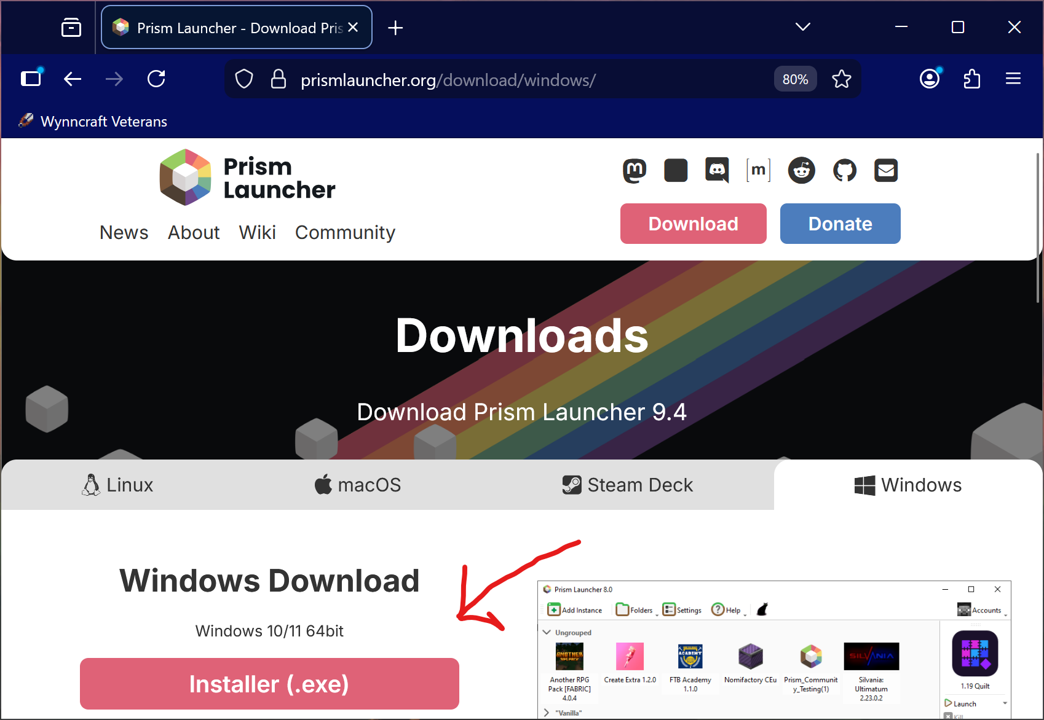
The first thing we will need is the Prism Launcher’s exe!
This can be found from this page of the PrismMC Website!
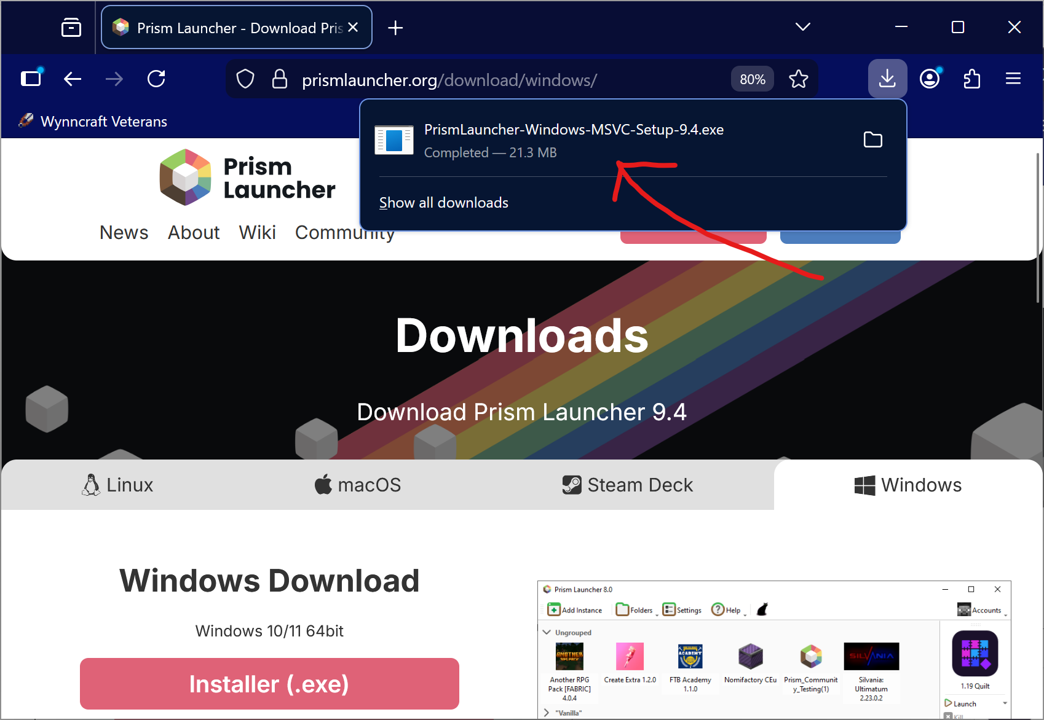
Then we just need to download the file and run it!
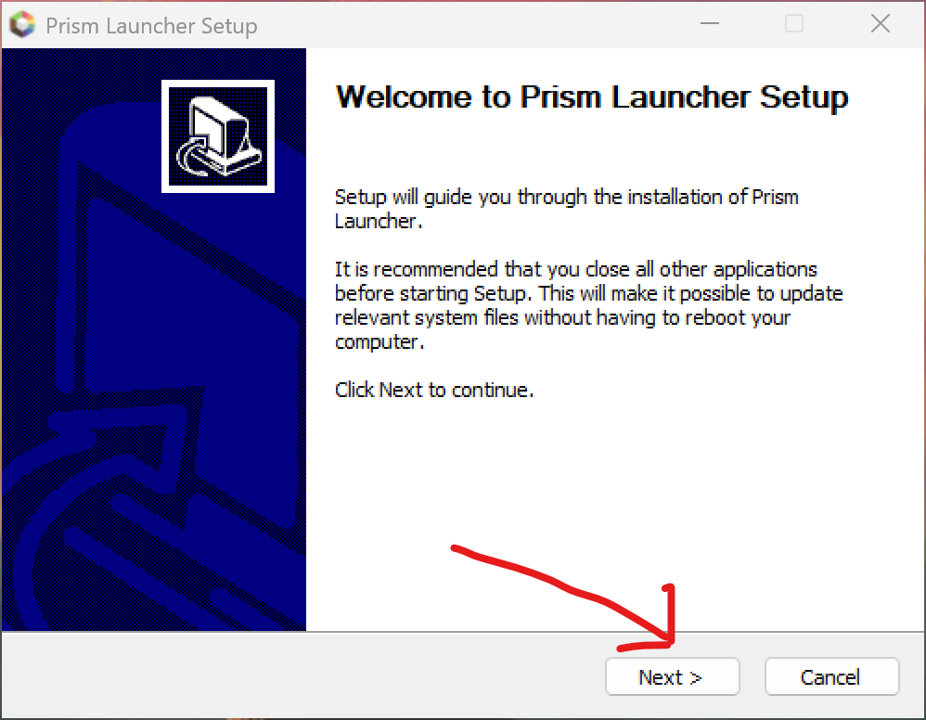
Follow through the prompts on the installer.
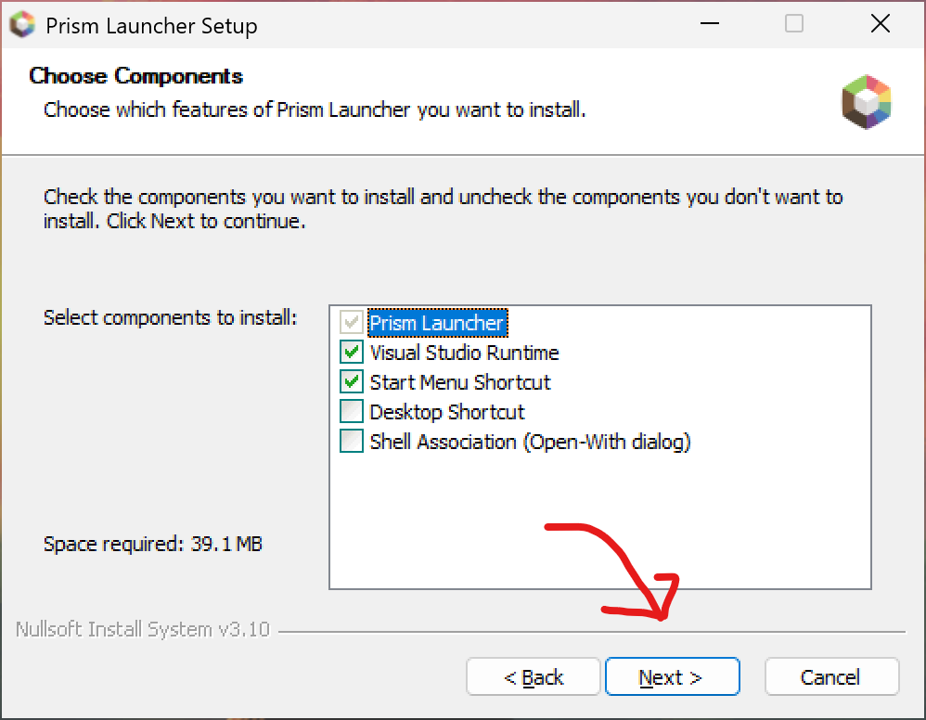
Note that the visual studio runtime makes Prism a lot more useful!
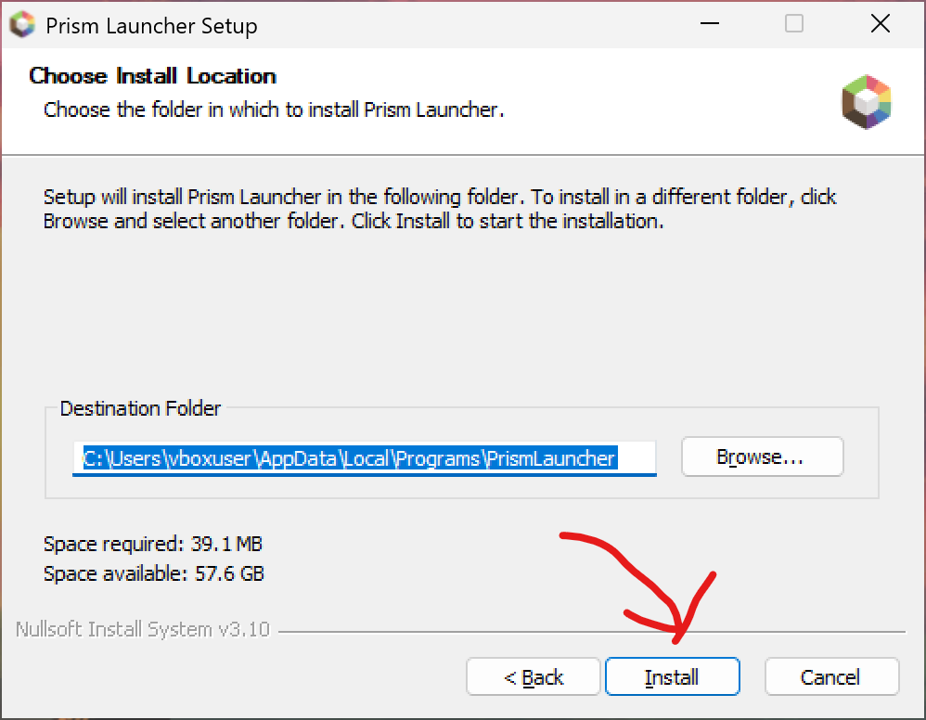
Note that the location chosen on this step is just where the launcher’s files are stored, not where the instances end up.
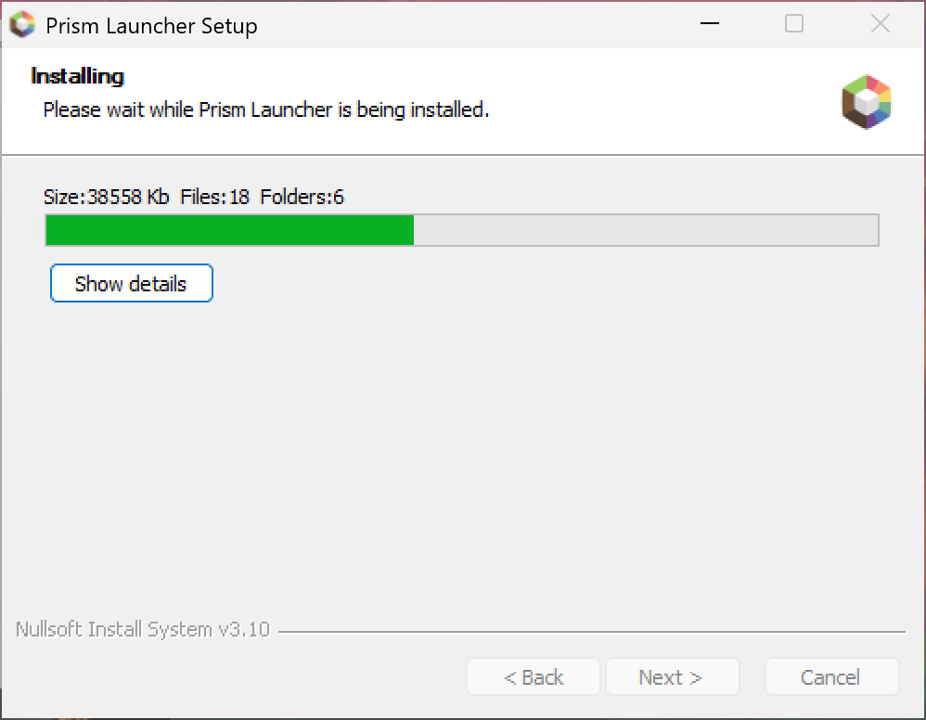
This may take quite a while to install.
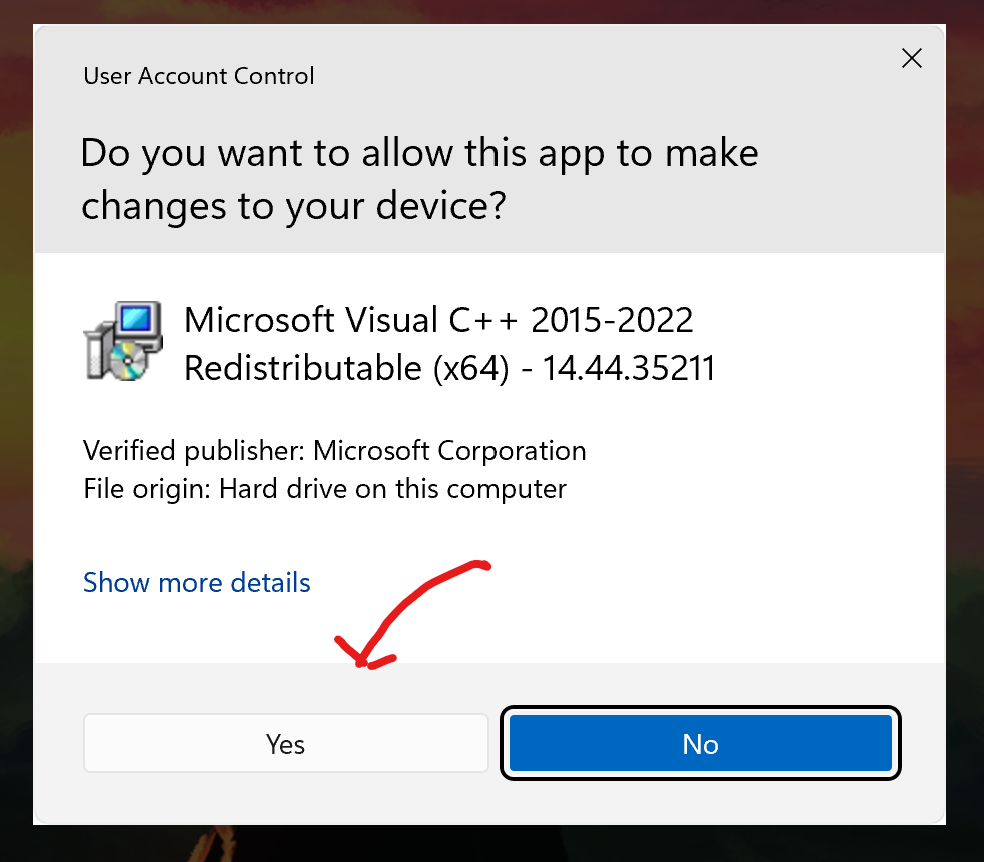
You will also likely be asked for user account control permission a few times. Don’t worry, this is normal.
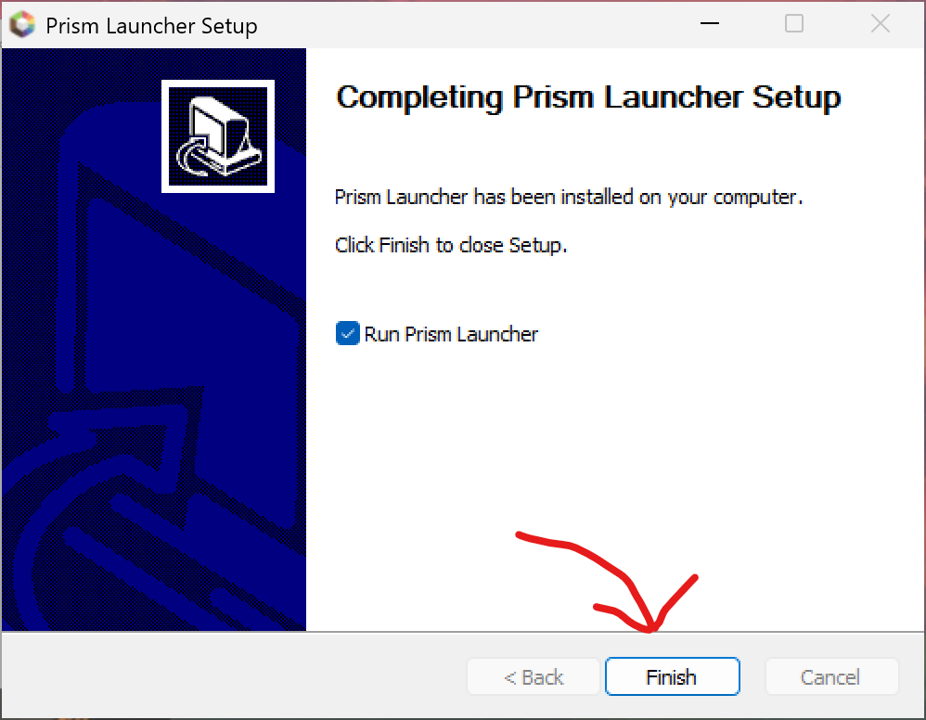
You will also likely be asked for user account control permission a few times. Don’t worry, this is normal.
Configuring Prism
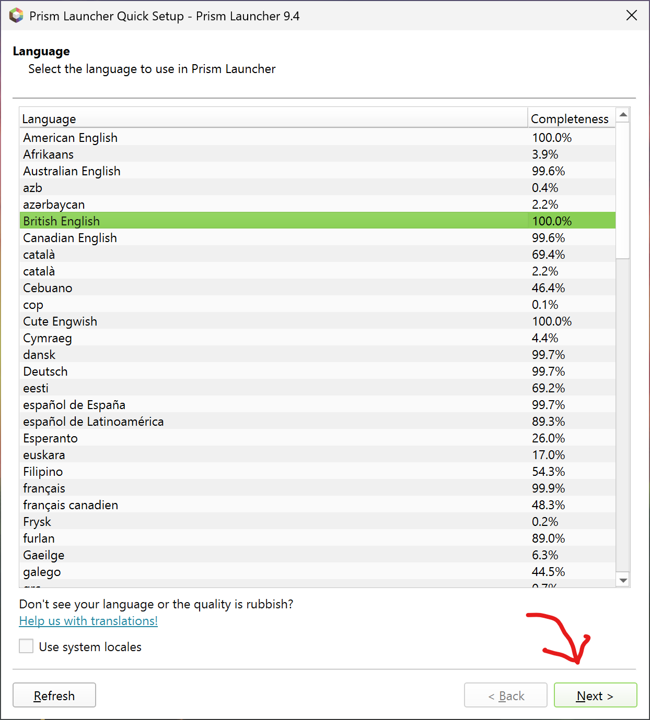
Opening Prism for the first time, you will be prompted for a few things. The first is your language (just the interface for Prism itself, not your Minecraft client).
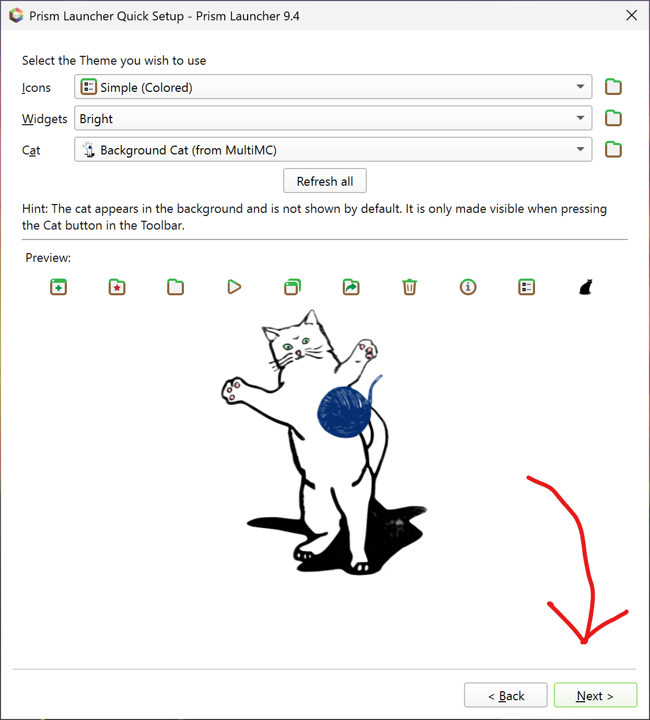
You are also given a chance to choose your cat! (And some other visual tweaks).
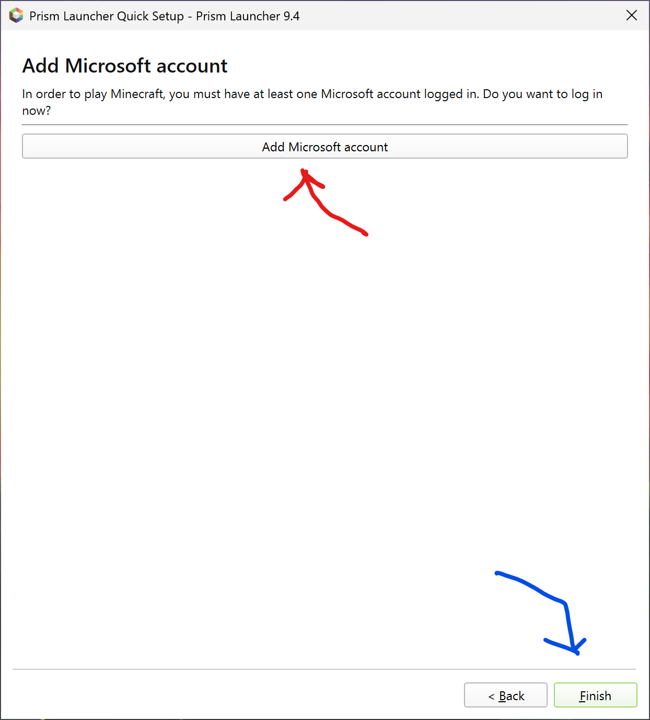
This step is important! The Minecraft account(s) you log in with are the ones you will be able to launch clients for!
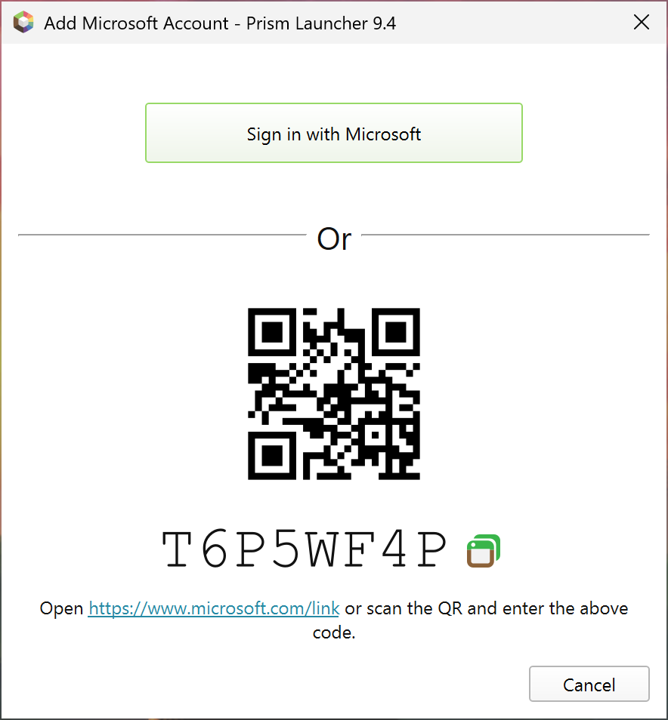
Prism offers several ways to authenticate with your Microsoft account. The easiest is probably the “Sign in with Microsoft” button, which opens Microsoft’s account login website.
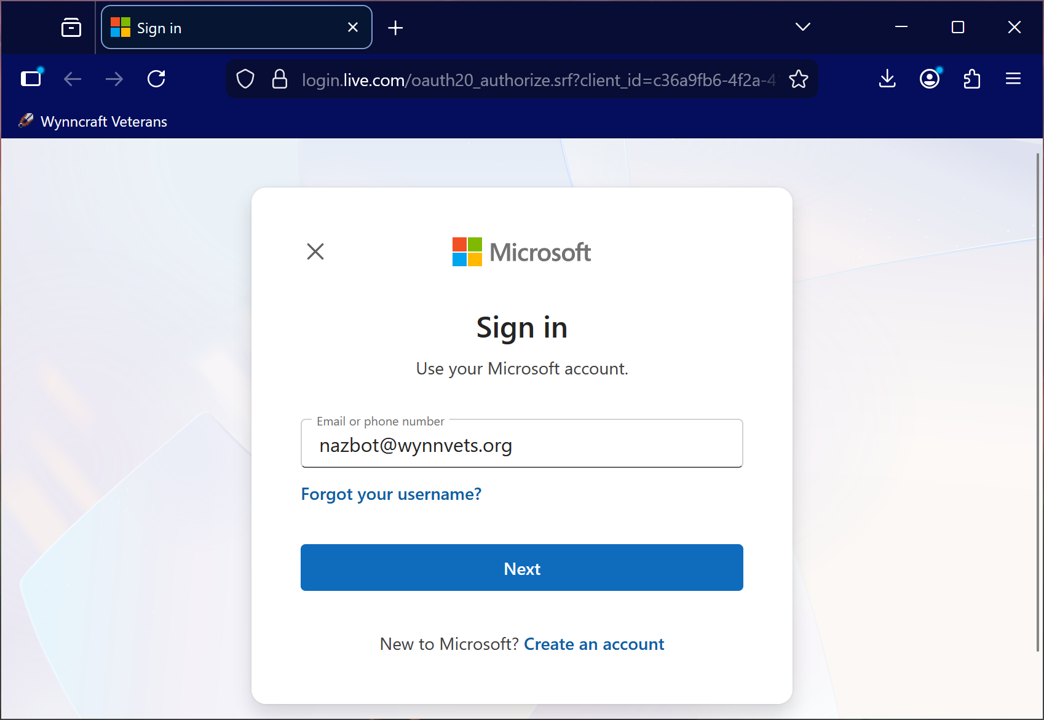
This is just a standard Microsoft login. Sign in with the same account your Minecraft account was created or migrated with.
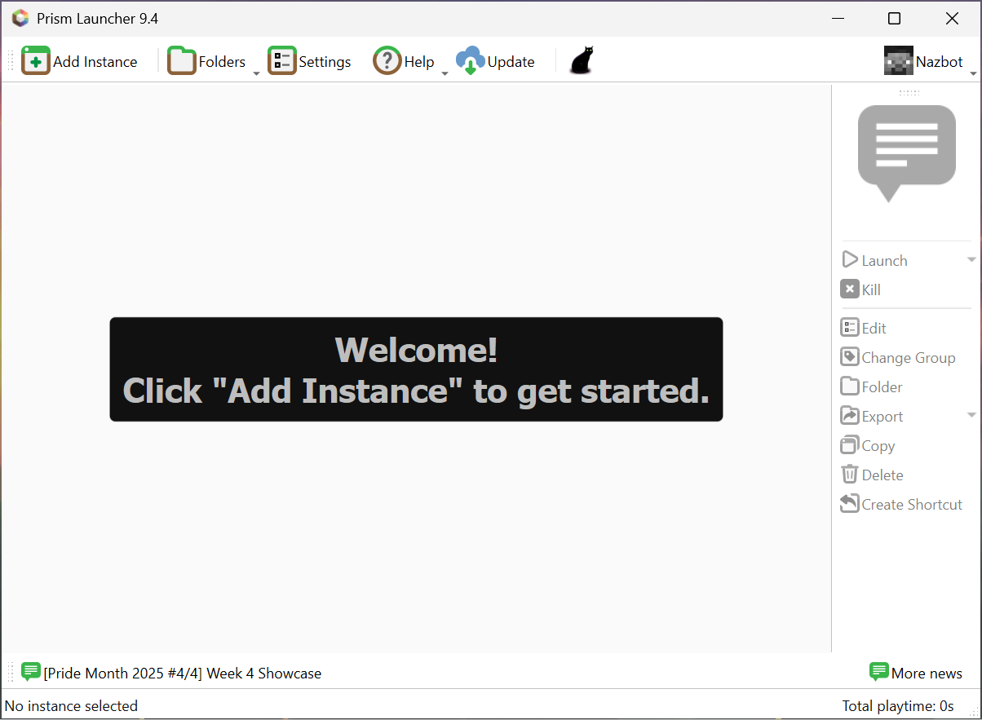
You’re done!
Creating Your Instance
We’re ready to create the foundation for your Wynn instance! The first step is to create your instance.
We will be using the Additive modpack as the basis for this install, centred on the version Wynncraft is currently running.
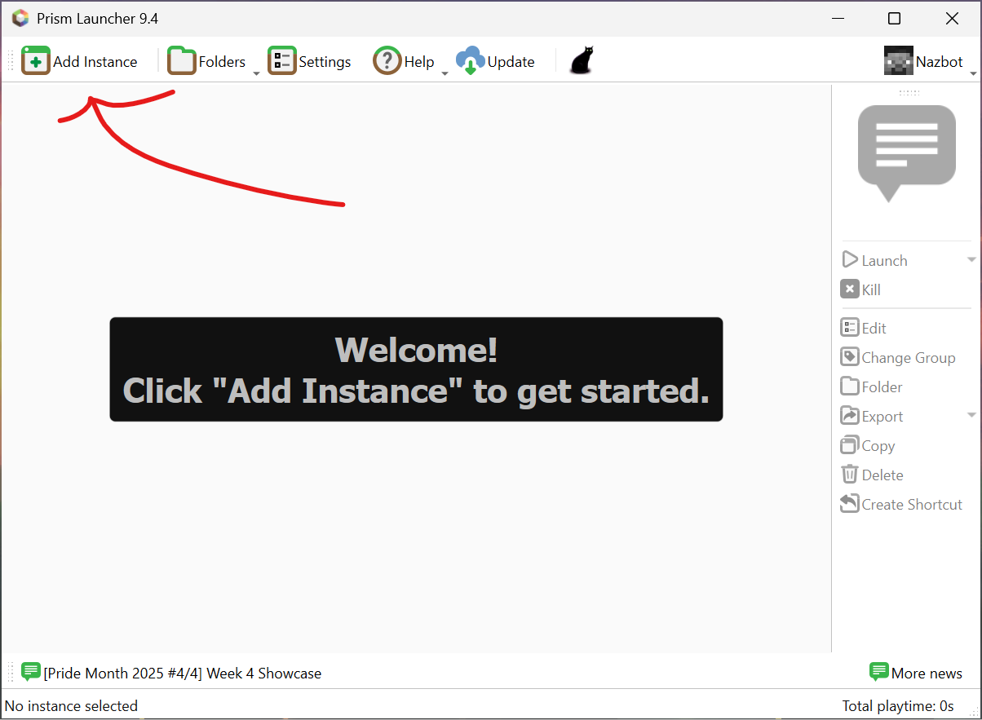
To get started, open Prism and click ‘Add Instance’ (top left).
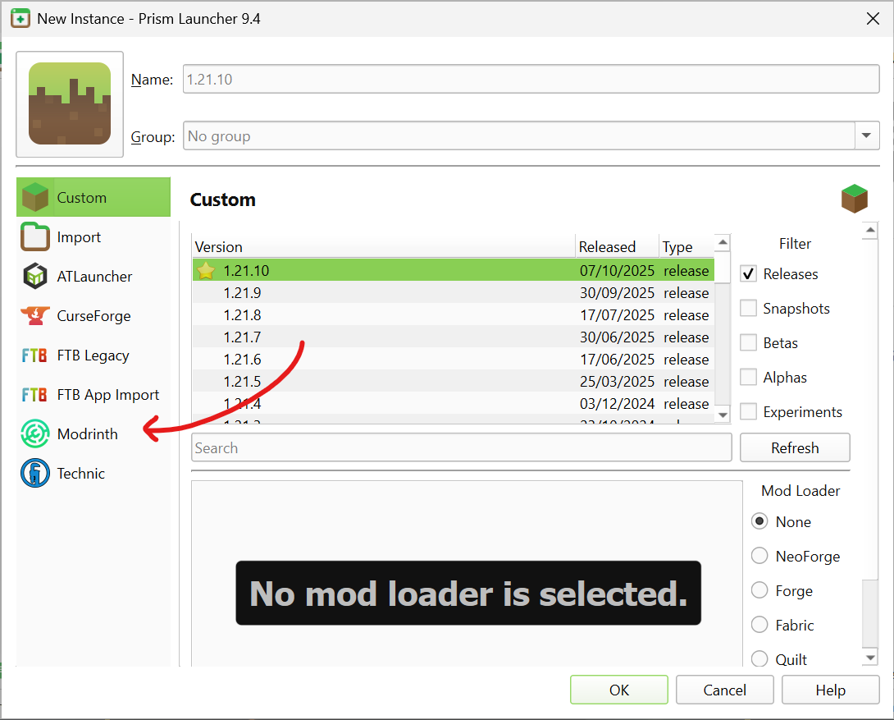
Ignoring the default page, go directly to the Modrinth tab of your new instance.
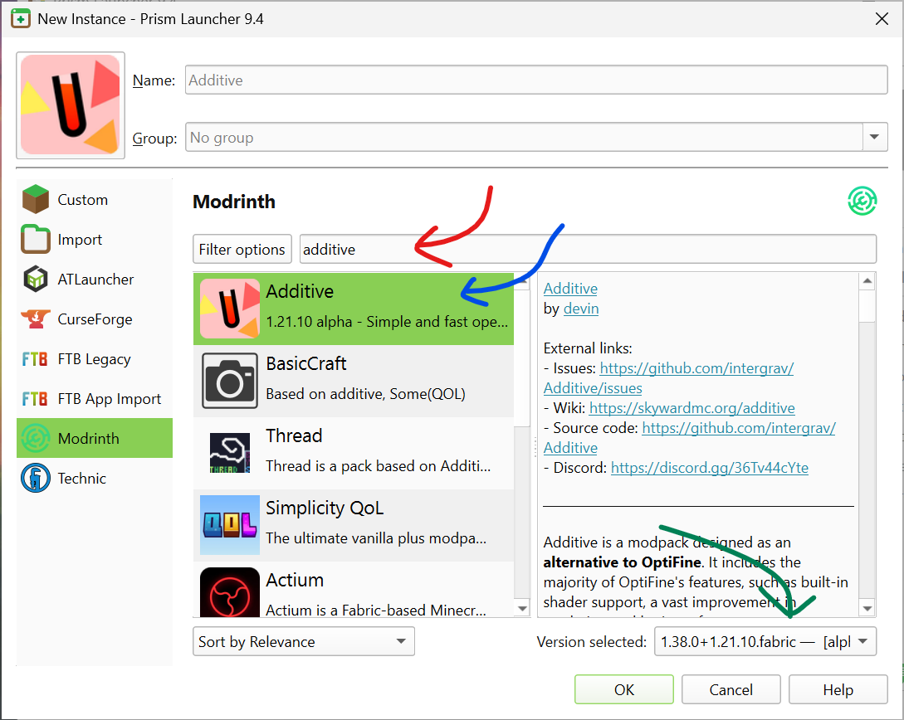
Search the Modrinth page for the ‘Additive’ modpack, click it, navigate to the bottom right, and click the version slider.
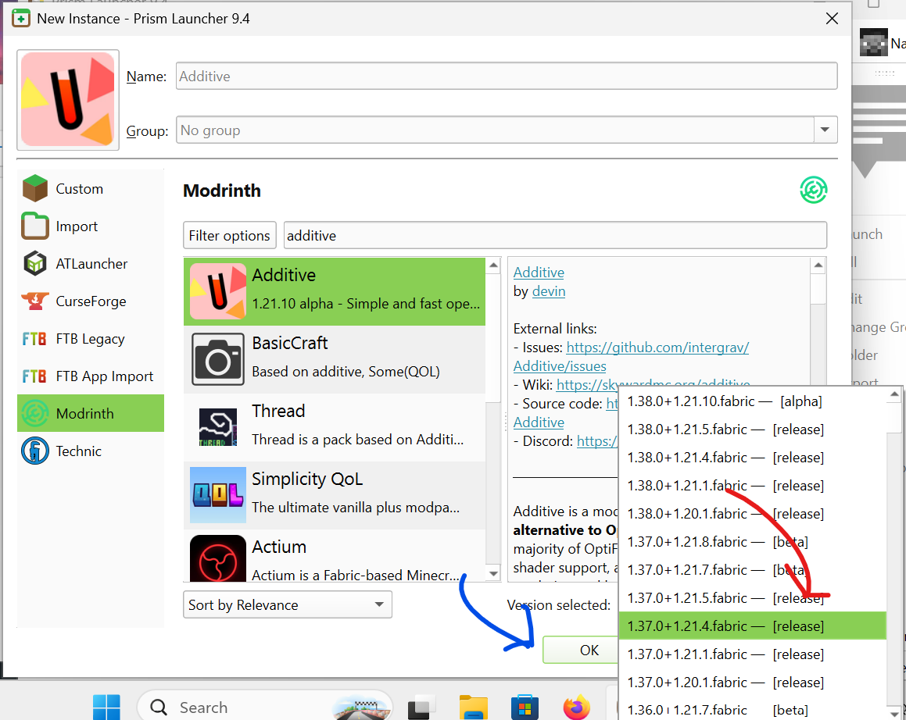
Select whatever version Wynncraft happens to be running right now, and click the ‘ok’ button.
Modding your instance
We’re ready to install Wynn mods! For the reasons outlined in the general notes section, although Wynn modpacks exist, it is generally preferable to install mods yourself.
How to add a mod to your instance’s ‘shopping cart’

After giving it a few moments to install, right click on your newly created instance and click ‘edit’.
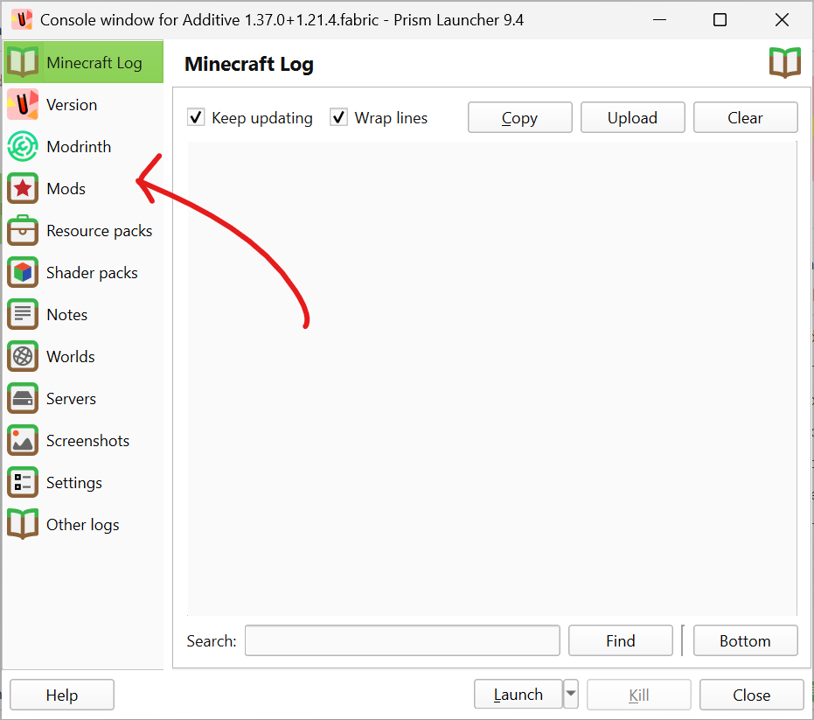
In your instance’s edit menu, click on the ‘Mods’ tab.
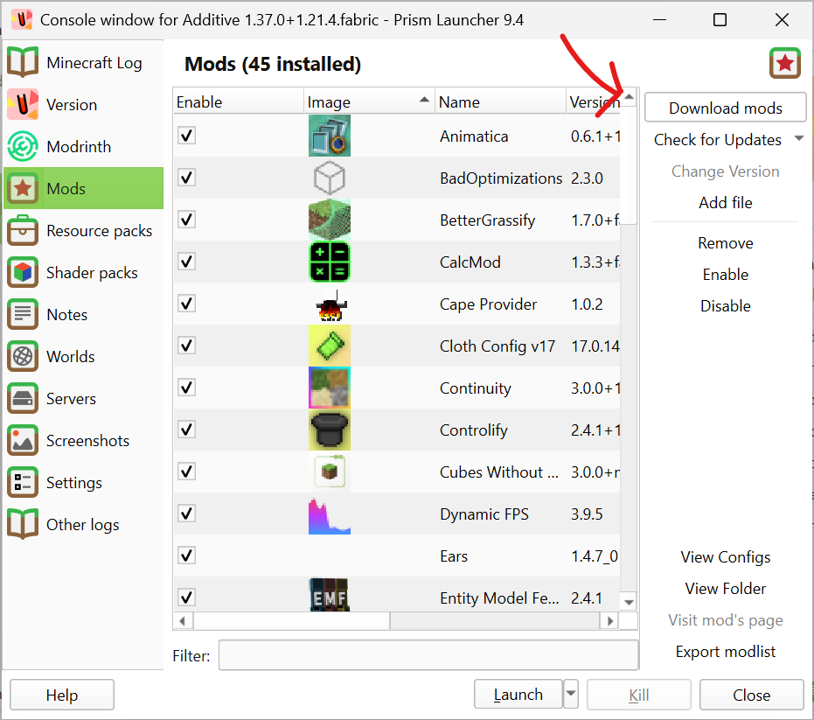
From within the modding tab, click the ‘Download Mods’ button.
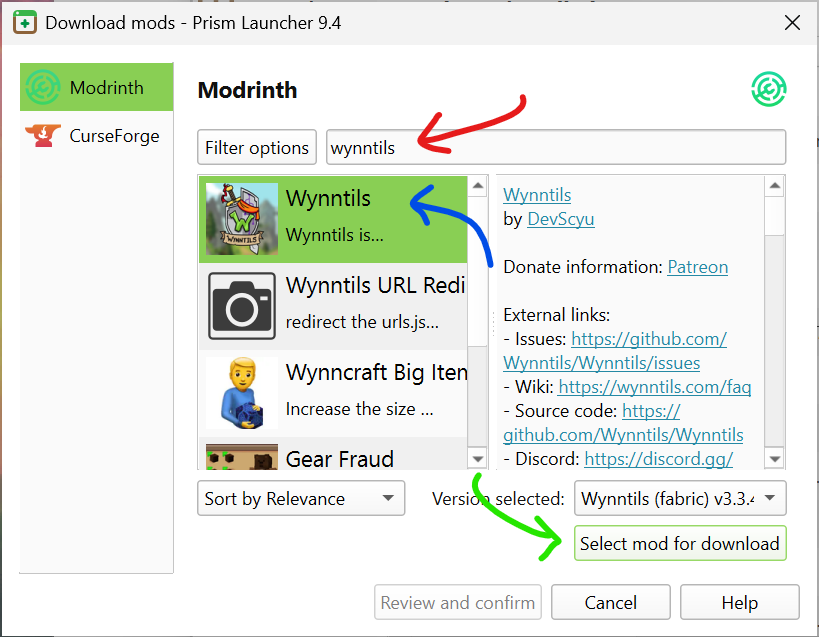
(red) Search for whatever mod you are adding to your cart, (blue) click it, and (green) select it for download (basically adding it to your cart).
Repeat this as many times as may be needed to install all the mods you are interested in.
Suggested Mods
This is your installation! Add anything you want! One of the best ways to do this is by simply typing ‘wynn’ into the mod search bar and adding the desired mods to your cart (i.e. selecting them for download).
Some specific mods we suggest are:
Dependencies
Although Prism is generally quite good at handling dependencies, a great many Wynn mods rely on a few specific resources. Therefore, we recommend installing:
Other mods to add to your cart
In no particular order, some of the more popular/useful wynn mods at the time of writing are:
- Wynnventory
- Shows market prices for items, among other things
- Distant Horizons (w/ WynnVista & WynnLODGrabber)
- Shows the entire world at the same time
- WynnExtras
- A large expansion to Wynntils that adds a variety of quality of life features.
- Wynnmod
- Another large expansion to Wynntils adding additional quality of life features.
- WynnAspects
- Keeps track of your aspects
- WynnLimbo
- Makes queuing for worlds less boring
- Your Guild’s mod (if they have one)
- Many guilds have mods that specifically address their respective needs and use cases.
- For example, many community guilds include various chat features in their mods such as discord bridges and the like.
- Many war guilds have a variety of tools to aid with various elements of warring.
- A common example of this category is Avomod, which, although used primarily for wars, also adds several quality of life features such as consumable colours.
- To find your guild’s mod, the best bet is just to ask around.
Installing your mods (i.e. ‘checking out’)
Once you have selected everything you need, click ‘Review and Confirm’
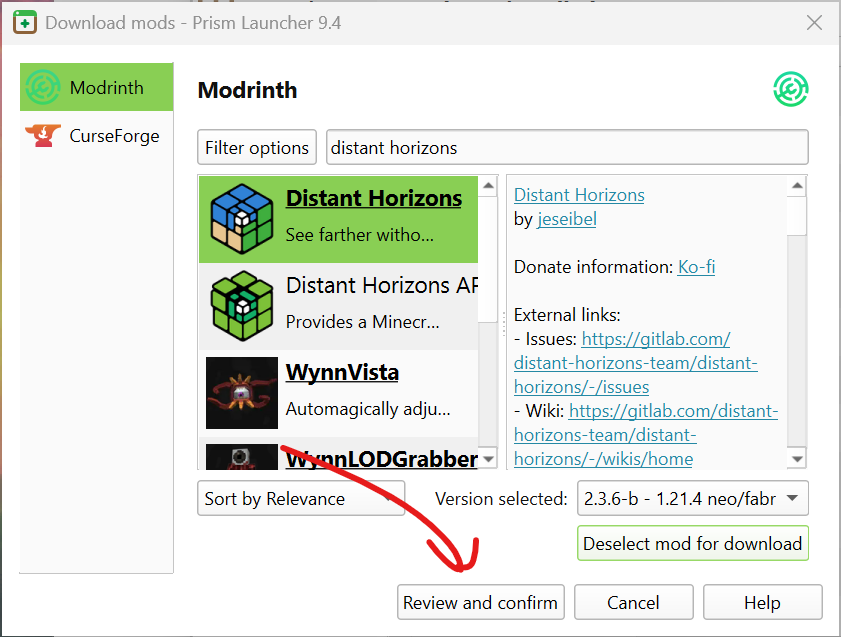
Once you have everything you need, ‘check out’ by clicking ‘Review and Confirm’.

You will be given a list of the mods you have selected; simply press ok to install them all.
Other Resources
We have the mods, but there are other ways to customise your client! Check out the Resource Packs and Shader Packs tabs as well!
How to add Resource & Shader Packs to your ‘cart’
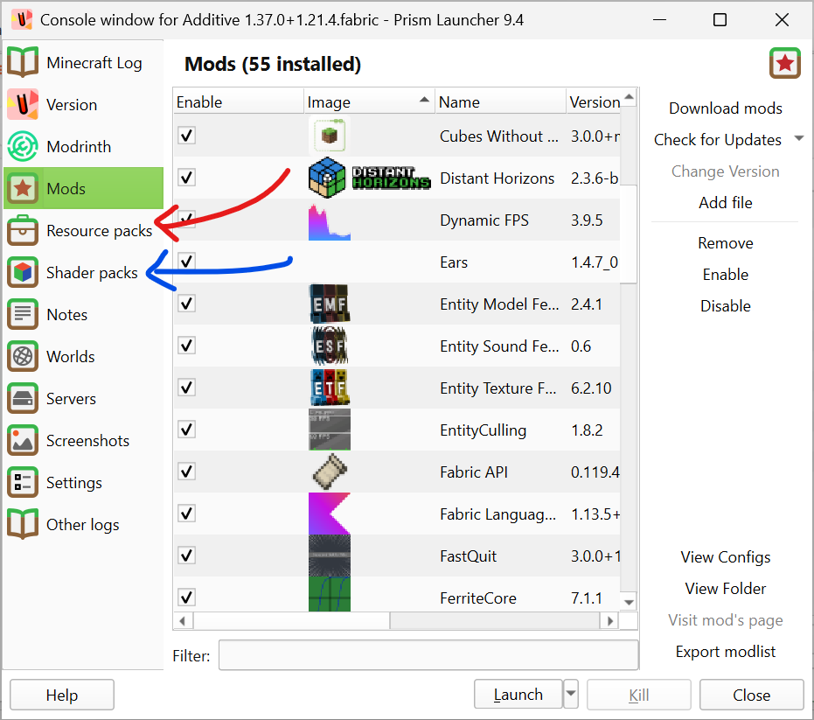
The resource and shader packs tabs function exactly the same way as the modding tab.
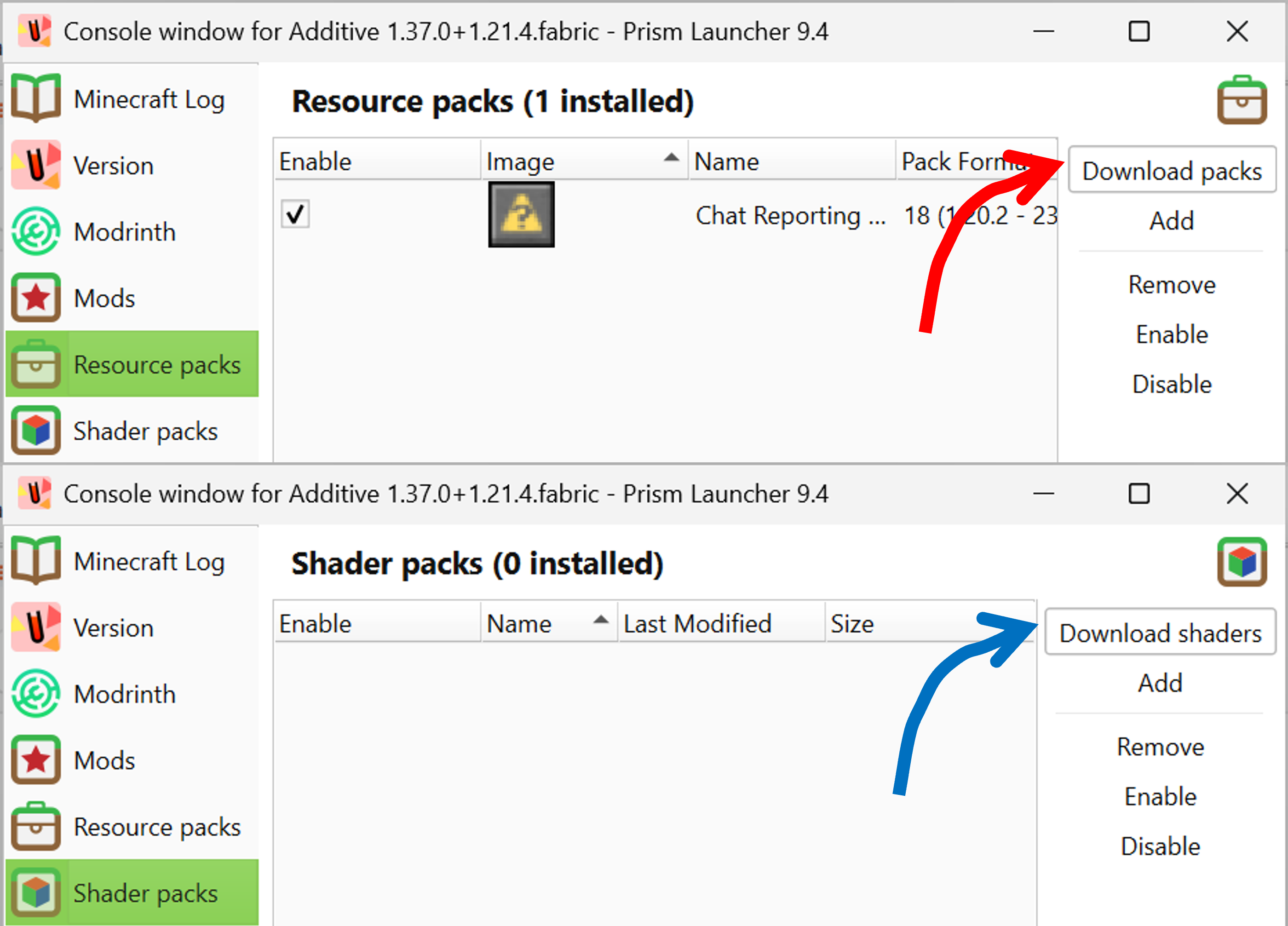
Simply click the ‘download’ button and repeat the same process from the modding section of this guide.
What to add to your ‘cart’
Again, this is a simple case of searching for “Wynn”. With that in mind, some specifically worthwhile mentions are:
Model (Resource) Packs
QOL (Resource) Packs
Launching
You are done! Feel free to launch your client!
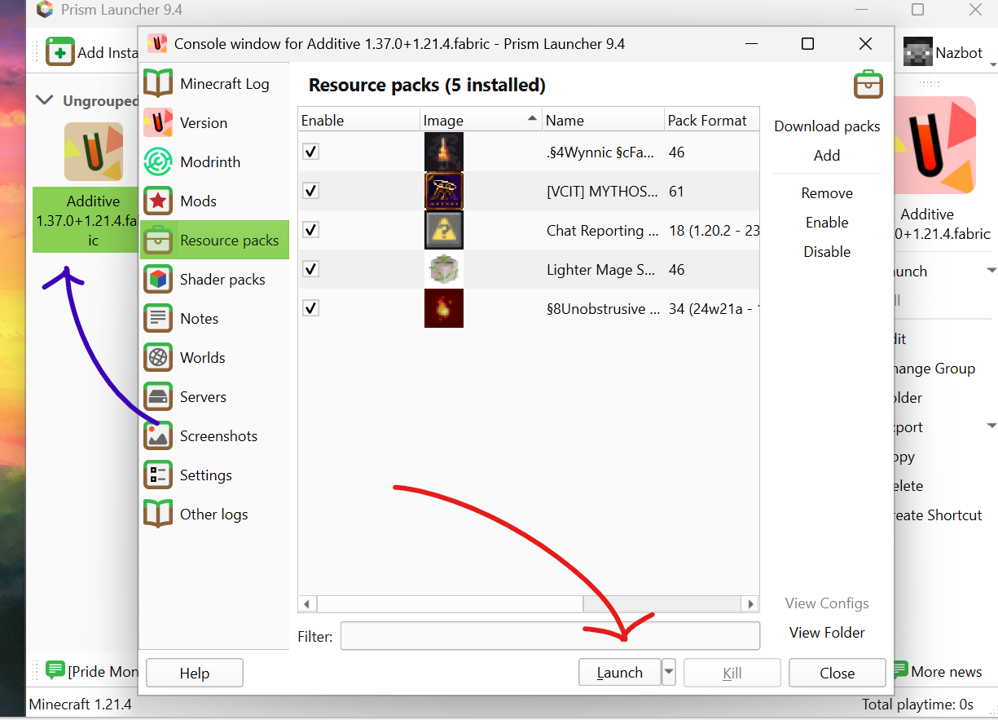
You’re done! You can click Launch (red) now; in future, you can also double click the client icon (blue) from your prism launcher to do the same thing!